7 Incredibly Useful Youtube Features And Tricks You May Not Know
I spend large portions of my life on Youtube both watching videos and distributing content and have over the years picked up a few hints, tips and features that may not be obvious to the average user. The thing with Youtube is that so many people forget that it is actually a social network with features that go far beyond just watching videos and hidden away there are some great features that you can use. There are also a couple of examples of tools that work on top of the Youtube platform to make your experience on the world’s biggest video sharing site even better. Here are the Youtube tips and features that you may not know…
Edit Your Videos Directly On Youtube
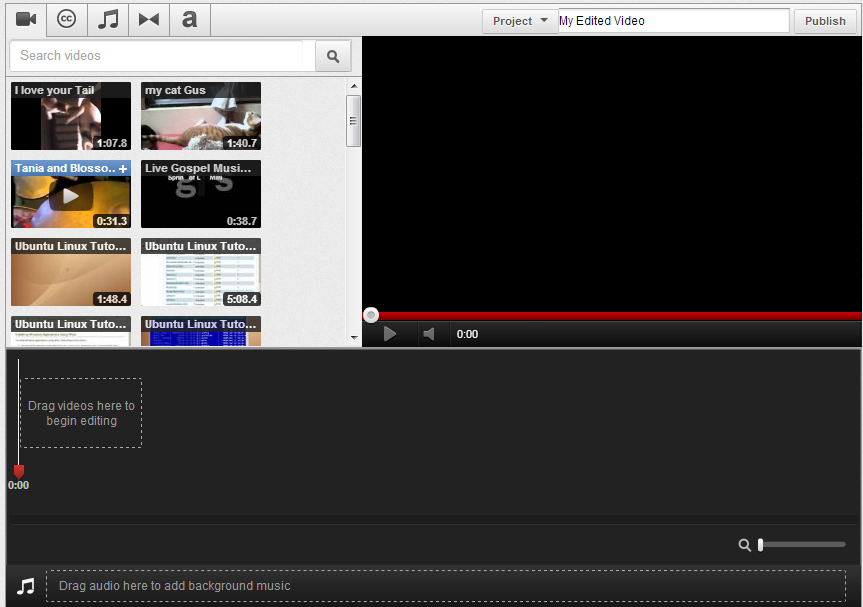
This handy little feature is well buried away but when using it you can basically forget about editing videos on 3rd party software on your computer and can do it directly on Youtube. The editing is simplistic with basic cutting and cropping but you can quickly add videos and the good news is that Youtube will also help you find licensed music that you can use instantly.
Youtube Disco
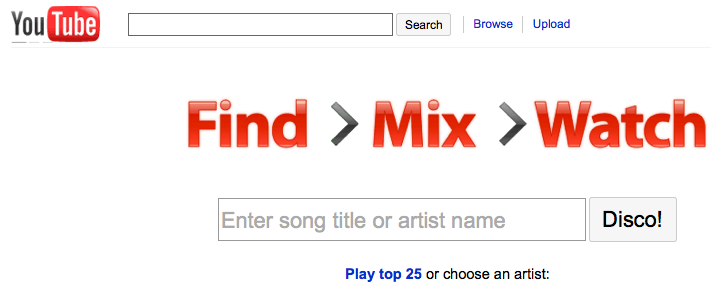
There are tons of music discovery sites on the web but a great alternative is Youtube itself with most of the world’s big music artists having a presence on the world’s biggest video sharing site. Youtube Disco is new enough and it doesn’t always work but when it is up and running you’ll be suggested great tracks, can make mix tapes and queue videos as you want to see them. The beauty of this service is that rather than stopping and starting and searching for videos at the end of each song this will provide you with a constant stream of music. As I said it can temperamental and if it is not working you can always head over to the Youtube Music page which is a great place to start.
Share Your Videos Privately
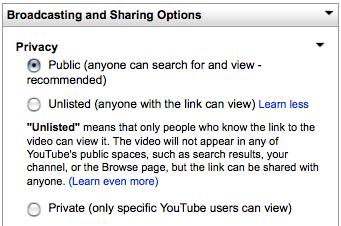
There may be times when you want to share your videos with friends, clients or colleagues without the rest of the world seeing them. You have been able to do this by making videos private but the functionality was always limited but luckily Youtube recently brought in the “unlisted” feature. This allows you to upload a video and you’ll be given a unique URL that can be shared with the world but that never appears in any of the searches on Youtube. Seems like a simple enough feature but if you are doing any video work you will be surprised at just how easy this will make your life.
Remove Related Videos
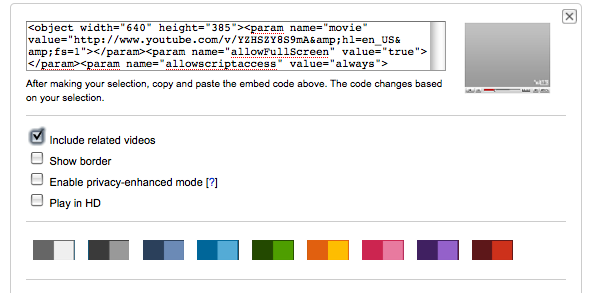
After every video Youtube will take the liberty of adding related videos that you can then go on and watch. It’s a great way of finding new content but it can throw up some very random selections that could take the tone of your website down or have competitor videos etc display. Youtube have recently made this easier to control and if click on embed it will open up a series of selections including play in HD (video plays automatically in HD when embedded) and removing related videos. All of the selections you make at this stage will change the embed code and be reflected on the video embedded on 3rd party sites.
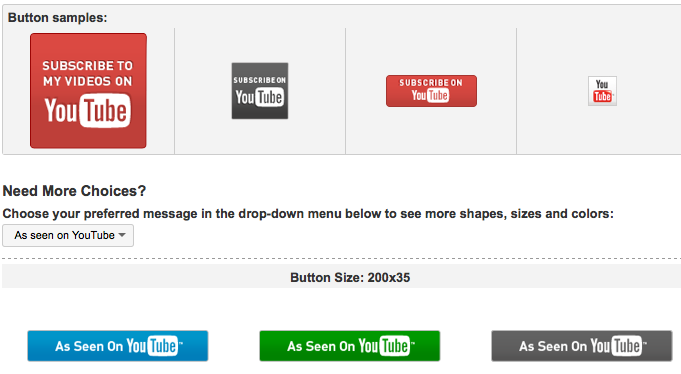
Get Youtube Subscribe Buttons
One thing that we advise people to help grow their subscriber list is to advertise their Youtube channel as much as possible on their own site and online social media profiles. Rather than finding some random badges online why not choose from the huge online selection that Youtube have provided for you in all shapes and sizes.
Only Embed The Part Of The Video You Need
Some videos on Youtube have great content in them but it might be right at the end of the video or buried somewhere in the middle. This is where the great tool Tubechop enters the mix. Tubechop allows you to select the part of the video you want to share with people giving you a new piece of code that only embeds that piece of the video.
Leanback
There are times when you get home after a long day at work but you don’t want to be bothered with clicking, searching and flicking between different videos. Enter Youtube Leanback. Now who knows where this is heading (chances are it is Youtube’s move in to getting content ready for TV) but it is certainly a useful way of watching content full screen with no need to search or click on controls. Basically leanback lets you do exactly what it says on the tin and that is to leanback and enjoy all the best content on Youtube.
TKB:1066